
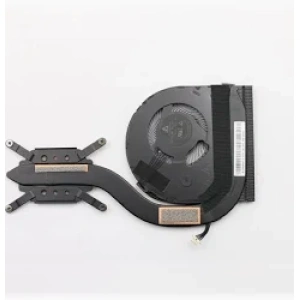
 Lenovo ThinkPad X280 Cooling Fan Replacement
Description
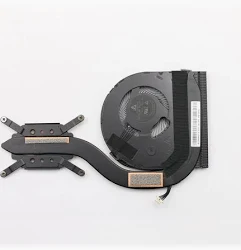
A faulty Lenovo X280 cooling fan can cause overheating, loud operating noise, unexpected shutdowns and reduced laptop performance. Replacing a damaged fan can help restore proper airflow and cooling in your Lenovo ThinkPad X280.
This replacement cooling fan is intended for compatible ThinkPad X280 laptops, including selected Core i5 8th Generation models with 8GB RAM and 256GB SSD. However, you must confirm the original fan assembly and FRU number before ordering.
Lenovo X280 Cooling Fan – Purpose and Benefits
The cooling fan helps move hot air away from the laptop’s processor and cooling system. Consequently, it helps maintain suitable operating temperatures during everyday tasks.
A properly functioning cooling fan can help:
- Improve airflow inside the laptop.
- Reduce overheating caused by a faulty fan.
- Address unusual fan noise or grinding sounds.
- Support stable laptop operation.
- Maintain effective processor cooling.
- Reduce the risk of thermal-related performance problems.
Additionally, a working cooling system helps your laptop handle everyday workloads more reliably.
Signs Your Lenovo X280 Fan Needs Replacement
Consider inspecting or replacing the fan if you notice:
- Excessive fan noise or rattling.
- The fan fails to spin when cooling is required.
- Repeated overheating or thermal shutdowns.
- Poor airflow from the cooling vents.
- Reduced performance caused by thermal throttling.
- A fan error or cooling-related warning.
Lenovo ThinkPad X280 Fan Compatibility
This cooling fan is intended for compatible Lenovo ThinkPad X280 machines, including machine types 20KE and 20KF.
Nevertheless, different configurations and replacement part revisions may use different fan assemblies. Before ordering, compare:
- Original fan FRU or part number.
- Fan connector and cable arrangement.
- Fan dimensions and mounting points.
- Thermal assembly design.
- Whether the replacement includes a heatsink or fan only.
Furthermore, the Core i5, 8GB RAM and 256GB SSD configuration identifies the laptop, not the exact cooling fan part number.
Installation and Maintenance
The fan assembly is installed inside the laptop and requires access through the base cover. Lenovo provides dedicated thermal fan assembly removal and replacement guidance for the X280.
For this reason, professional installation is recommended if you are unfamiliar with laptop repairs.
Why Choose Luztech?
At Luztech, we help customers identify suitable laptop replacement parts for their repair requirements.
- Assistance with Lenovo ThinkPad component identification.
- Guidance on checking fan FRU numbers and compatibility.
- Laptop replacement parts support for technicians and individual customers.
- Help identifying the appropriate cooling assembly before ordering.
Get Your Lenovo X280 Cooling Fan from Luztech
Looking for a Lenovo X280 cooling fan in Kenya? Contact Luztech with your laptop’s machine type or original fan part number.
We can help you identify the appropriate replacement and avoid compatibility problems.
Contact Luztech today for assistance with your Lenovo ThinkPad X280 fan replacement.


Reviews
There are no reviews yet.