
Description
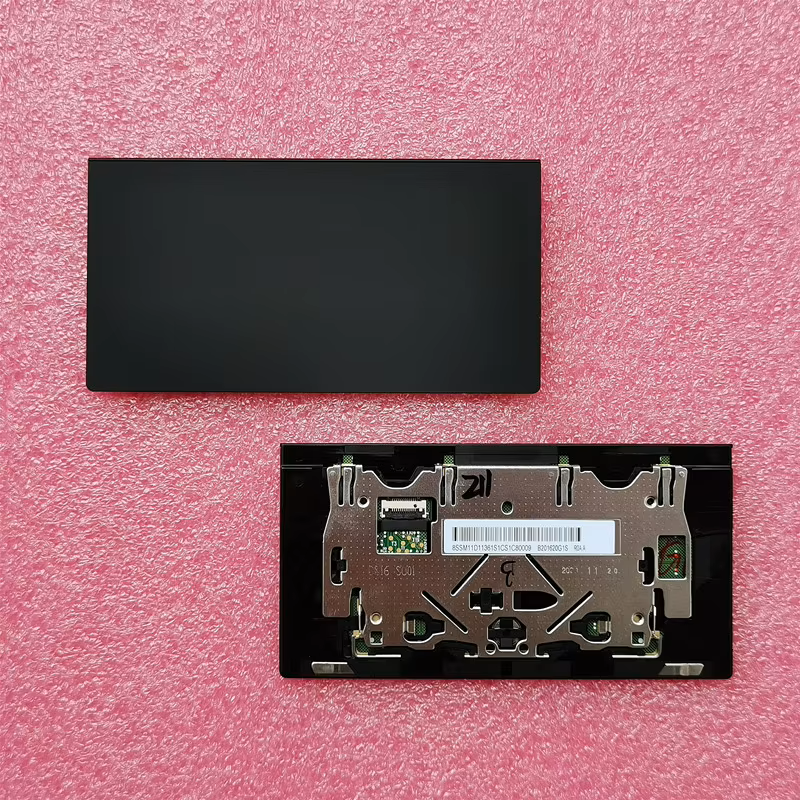
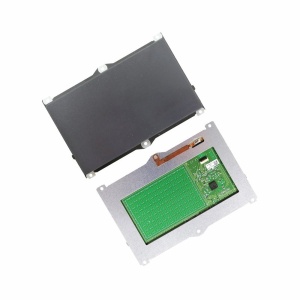
Restore smooth and accurate cursor control with a Lenovo ThinkPad X1 Carbon Gen 10 Touchpad Replacement. This replacement touchpad, also known as a TrackPad or TrackPoint pointing device, is intended for compatible Lenovo ThinkPad X1 Carbon Gen 10 laptops.
The touchpad provides convenient cursor navigation without requiring an external mouse. It allows you to move the pointer, click, scroll and use supported multi-touch gestures. Therefore, a properly functioning touchpad is essential for comfortable everyday laptop operation.
Lenovo ThinkPad X1 Carbon Gen 10 Touchpad Features
The replacement touchpad is designed for compatible ThinkPad X1 Carbon Gen 10 configurations.
Its main functions include:
- Accurate cursor movement and navigation.
- Finger-based tapping and clicking.
- Multi-touch gesture support, depending on the touchpad configuration.
- Scrolling through documents and web pages.
- Convenient navigation without an external mouse.
- Integration with the laptop’s built-in pointing system.
Additionally, the ThinkPad pointing system includes a TrackPoint pointing stick in the keyboard area. The TrackPoint and touchpad serve different functions, so check which component needs replacement.
Common Signs You Need a Lenovo X1 Carbon Touchpad Replacement
A faulty touchpad can make laptop navigation difficult and interrupt your productivity.
Consider replacing it if you experience:
- Touchpad not responding to finger movement.
- Cursor moving erratically across the screen.
- Clicking functions not working properly.
- Touchpad buttons becoming unresponsive.
- Multi-touch gestures failing.
- Physical damage to the touchpad surface.
- Intermittent touchpad operation.
- Touchpad connector or cable damage.
Touchpad Compatibility and Replacement Considerations
This replacement touchpad is intended for Lenovo ThinkPad X1 Carbon Gen 10 laptops.
Before purchasing, ensure the replacement matches the original touchpad assembly, connector and mounting configuration.
Compatibility may depend on:
- Laptop machine type.
- Original touchpad FRU or part number.
- Touchpad dimensions and mounting points.
- Internal ribbon cable and connector.
- Palmrest and touchpad assembly configuration.
Why Choose Luztech?
At Luztech, we help customers find suitable replacement components for Lenovo ThinkPad laptops and other computer brands.
Whether your touchpad is unresponsive, physically damaged or experiencing clicking problems, our team can help identify the appropriate replacement component.
Additionally, Luztech offers laptop repair assistance for customers experiencing touchpad, keyboard and other hardware problems.
Contact Luztech today for a Lenovo ThinkPad X1 Carbon Gen 10 touchpad replacement. Let us help restore comfortable and reliable laptop navigation.

Reviews
There are no reviews yet.