
Description
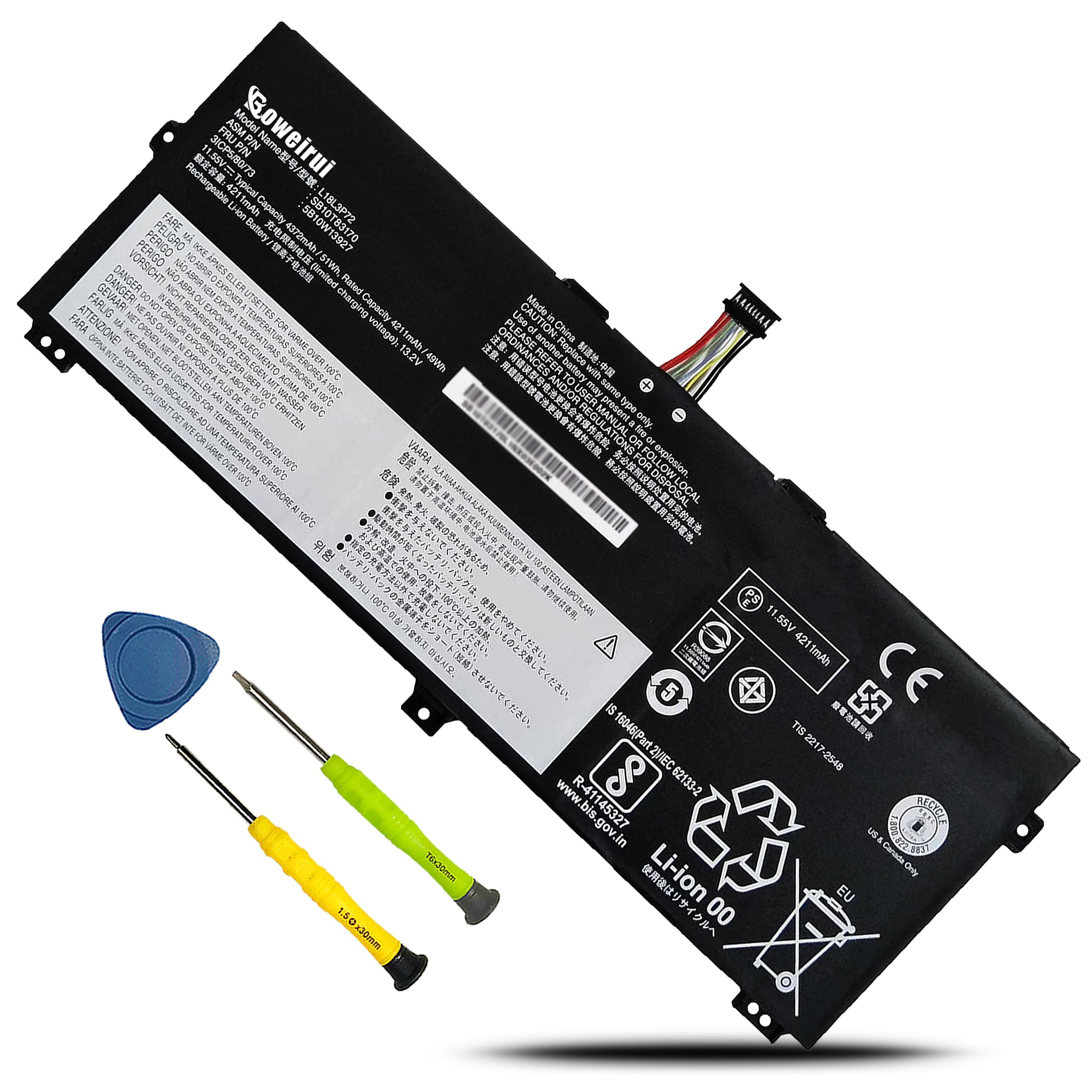
Looking for a Lenovo ThinkPad X390 Yoga internal battery replacement in Nairobi? Luztech helps you source a compatible 50Wh, 11.52V rechargeable battery for your Lenovo ThinkPad X390 Yoga laptop.
This internal battery is designed for supported X390 Yoga configurations and uses a three-cell battery design. Lenovo’s official specifications identify an integrated 50Wh Li-Polymer battery for this model. However, always match the replacement to your original battery label and laptop machine type.
Compatible Lenovo ThinkPad Model
This battery listing is intended for:
- Lenovo ThinkPad X390 Yoga
- Machine types 20NN and 20NQ
The X390 Yoga uses an internal battery rather than a standard external slide-out battery. Therefore, replacement requires opening the laptop and disconnecting the battery from its internal connector.
50Wh 11.52V Internal Battery Features
Key specifications include:
- Battery Capacity: 50Wh
- Voltage: 11.52V
- Battery Type: Lithium-based rechargeable battery
- Chemistry: Li-Polymer, as specified for the X390 Yoga
- Cell Configuration: 3-cell
- Installation: Internal battery
- Laptop Compatibility: Supported ThinkPad X390 Yoga configurations
A matching battery is listed under the model number L18M3P72, with Lenovo part reference 5B10W13928 and assembly reference SB10T83171. These references are useful for identification, but confirm them against your original battery before purchase.
Replacement Battery for Supported X390 Yoga Specifications
Luztech assists with battery options for supported Lenovo ThinkPad X390 Yoga specifications. Nevertheless, battery compatibility depends on the exact laptop and battery version.
Before ordering, check:
- Laptop model and machine type.
- Original battery model number.
- Lenovo FRU or part number.
- Voltage and capacity.
- Battery connector and cable arrangement.
- Physical dimensions and mounting points.
Common Signs You Need a New Internal Battery
Your ThinkPad X390 Yoga may need a replacement battery if:
- Battery life has become noticeably shorter.
- The laptop shuts down when disconnected from its charger.
- The battery does not charge properly.
- The operating system reports reduced battery health.
- The laptop fails to detect the installed battery.
- Battery performance becomes inconsistent.
However, charging problems can also result from a faulty USB-C charging port, adapter or motherboard charging circuit. Proper diagnosis can help identify the actual cause.
Battery safety: If the battery is swollen, stop using the laptop and disconnect the charger if it is safe to do so. Do not puncture, bend, press or attempt to force out a swollen battery. Arrange professional inspection and replacement.
Internal Battery Replacement Support
The X390 Yoga battery is installed inside the laptop. Consequently, replacement involves removing the bottom cover, disconnecting the battery and fitting the correct compatible unit.
Luztech can help identify the appropriate battery and assist with internal battery replacement and laptop repair in Nairobi.
Why Choose Luztech?
Luztech helps customers in Kenya source compatible Lenovo laptop batteries and replacement parts.
- Assistance with Lenovo battery identification.
- Support with original battery and FRU matching.
- Replacement options for supported X390 Yoga configurations.
- Laptop battery replacement assistance.
- Laptop spare parts and repair support in Nairobi.
Explore our Laptop Spare Parts and Laptop and Computer Repair Services in Nairobi.
Order Your Lenovo ThinkPad X390 Yoga Battery in Nairobi
Need a compatible 50Wh 11.52V Lenovo ThinkPad X390 Yoga internal battery? Contact Luztech with your laptop machine type or a photograph of the original battery label.
We will help identify the correct replacement and check availability.
Luztech – Lenovo Laptop Batteries, Spare Parts and Repair Services in Nairobi, Kenya.




Reviews
There are no reviews yet.