
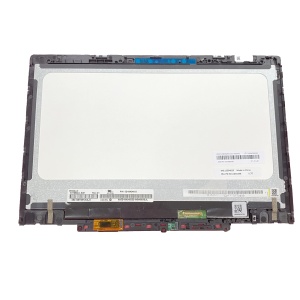
 Lenovo 300e 11.6″ LCD Screen Replacement – 30‑Pin eDP*
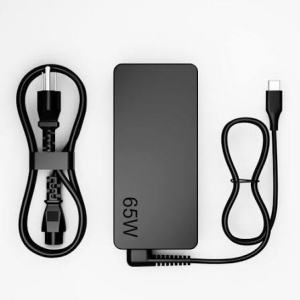 Lenovo ThinkPad X13 Yoga Gen 1 Core i7 AC Adapter Charger – 65W USB-C Laptop Power Supply
Description
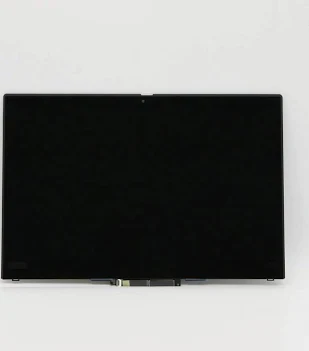
Restore the display quality and touchscreen functionality of your Lenovo ThinkPad X13 Yoga Gen 1 Core i7 10th Generation laptop with a compatible replacement LCD touchscreen assembly from Luztech Solutions in Nairobi CBD, Kenya.
The Lenovo ThinkPad X13 Yoga Gen 1 features a versatile 360-degree convertible design with a 13.3-inch touchscreen display. The screen is an essential component that allows you to view documents, browse the internet, watch videos, attend online meetings and interact directly with your laptop using touch input.
Designed for flexibility and productivity, the touchscreen display allows you to use your Lenovo X13 Yoga in different modes, including traditional laptop mode, tablet mode, tent mode and stand mode. The 360-degree hinge makes it convenient for presentations, reading, drawing and everyday computing.
Is your Lenovo ThinkPad X13 Yoga screen cracked, displaying lines or showing a blank display? Does the touchscreen fail to respond when touched, or has the LCD developed black spots, flickering or display abnormalities?
These problems may indicate a damaged LCD panel, faulty touchscreen digitizer, display cable problem or other screen-related hardware fault.
Replacing a damaged screen with the correct compatible display assembly helps restore clear visuals and touchscreen operation, allowing you to continue using your Lenovo convertible laptop comfortably.
At Luztech Solutions, we supply compatible Lenovo ThinkPad X13 Yoga Gen 1 touchscreen replacement screens and provide professional laptop screen replacement services in Nairobi CBD, Kenya.
Our technicians inspect the original display, identify the correct screen configuration, check the display connector and verify touchscreen compatibility before installing a replacement.
Whether your laptop has a cracked touchscreen, broken LCD, damaged display assembly or unresponsive touch functionality, we can assist with professional diagnosis and screen replacement.
We also provide Lenovo laptop spare parts, laptop display repairs, screen cable replacement, hinge repairs and general laptop servicing.
We serve customers in Nairobi and offer delivery arrangements for laptop spare parts across Kenya.
🔹 Compatible Lenovo ThinkPad Laptop Models
The intended screen replacement family includes:
- Lenovo ThinkPad X13 Yoga Gen 1.
- Lenovo ThinkPad X13 Yoga Gen 1 Type 20SX.
- Lenovo ThinkPad X13 Yoga Gen 1 Type 20SY.
- Selected Lenovo ThinkPad X13 Yoga Gen 1 Core i7 configurations.
- Selected Lenovo ThinkPad X13 Yoga Gen 1 Core i5 configurations.
- Selected Lenovo ThinkPad X13 Yoga Gen 1 touchscreen configurations.
Lenovo X13 Yoga Gen 1 Display Configurations:
The model supports different original display configurations:
- 13.3-inch FHD IPS: 1920 × 1080 resolution with multi-touch support.
- 13.3-inch UHD OLED: 3840 × 2160 resolution with multi-touch support.
- Selected FHD configurations offer different brightness levels and display features.
Documented Lenovo OEM Screen FRU References:
- 5M10Y75560: 13.3-inch UHD 3840 × 2160 OLED touchscreen LCD module, 400 nits, with IR camera configuration.
- 5M10Z39985: 13.3-inch FHD 1920 × 1080 IPS touchscreen LCD module, 500 nits, ePrivacy and IR camera configuration.
Additional FHD display assemblies have other FRU numbers depending on the original configuration.
Important Compatibility Note:
Not every Lenovo ThinkPad X13 Yoga Gen 1 uses the same screen assembly.
Before purchasing, compare:
- Original LCD screen FRU number.
- Display resolution (FHD or UHD).
- IPS or OLED panel technology.
- Touchscreen functionality.
- Display cable connector.
- Webcam and IR camera cutout.
- LCD frame and mounting arrangement.
- Original display assembly configuration.
Always verify the original screen part number before ordering to avoid purchasing an incompatible replacement.
🔹 Common Lenovo ThinkPad X13 Yoga Screen Problems
You may need a Lenovo X13 Yoga touchscreen replacement if your laptop experiences the following problems:
- Cracked LCD screen: Physical damage causes cracks or visible display abnormalities.
- Broken touchscreen glass: The front touchscreen surface is cracked or damaged.
- Black screen: The laptop powers on but the display remains completely blank.
- Vertical or horizontal lines: Coloured lines appear across the display.
- Flickering screen: The display flashes or changes brightness unexpectedly.
- Black spots: Dark patches appear on the LCD panel.
- White screen: The display shows a white image instead of normal content.
- Touchscreen not responding: Touch input does not work correctly.
- Ghost touching: The touchscreen registers unwanted touches.
- Partial touchscreen failure: Some areas of the screen do not respond to touch.
- Dim display: The screen becomes unusually dark.
- Display colour problems: Colours appear distorted or inconsistent.
- Damaged display cable: A faulty internal cable causes intermittent display problems.
- Broken display assembly: Physical damage affects the screen, touch layer or mounting structure.
However, not every display problem requires a complete screen replacement. Faulty display cables, motherboard display circuits, graphics problems and touchscreen connections can also cause similar symptoms.
We recommend professional diagnosis before replacing the screen.
🔹 Professional Lenovo ThinkPad X13 Yoga Screen Replacement
At Luztech Solutions, we provide professional Lenovo laptop screen replacement and touchscreen repair services in Nairobi CBD.
Our technicians inspect the original screen assembly to identify the correct replacement and determine whether the fault is related to the LCD panel, touchscreen, display cable or motherboard.
Our screen replacement service includes:
- Inspecting the laptop for display and touchscreen problems.
- Identifying the Lenovo ThinkPad X13 Yoga model and machine type.
- Checking the original LCD screen FRU number.
- Confirming the original screen resolution.
- Identifying the IPS or OLED panel configuration.
- Checking the display connector and cable.
- Inspecting the webcam and IR camera arrangement.
- Removing the damaged screen assembly where necessary.
- Installing the compatible replacement touchscreen assembly.
- Reconnecting the display and touch cables.
- Testing display brightness and image quality.
- Testing touchscreen responsiveness.
- Checking for dead pixels, lines and display abnormalities.
- Testing the display in different convertible modes.
- Confirming normal screen and touch operation after installation.
This helps ensure that your Lenovo ThinkPad X13 Yoga receives the correct replacement display and maintains its touchscreen functionality.
🔹 Why Choose Luztech Solutions?
When looking for a Lenovo ThinkPad X13 Yoga Gen 1 touchscreen in Nairobi, Luztech Solutions offers compatible laptop display replacements and professional computer repair services.
Our services include:
- Lenovo ThinkPad X13 Yoga screen replacement.
- Lenovo X13 Yoga touchscreen replacement.
- Lenovo 13.3-inch LCD screen supply.
- FHD and UHD screen replacement options.
- IPS and OLED display replacement, subject to availability.
- Laptop LCD panel replacement.
- Laptop touchscreen repair.
- Laptop display cable replacement.
- Laptop hinge and bezel repairs.
- Broken laptop screen replacement.
- Laptop display diagnosis.
- Lenovo laptop spare parts.
- Professional screen installation.
- General laptop repair and maintenance.
- Delivery arrangements across Kenya.
We also supply laptop screens and provide repair services for HP, Dell, Lenovo, Acer, Asus, Toshiba, MacBook and Microsoft Surface laptops.
Visit Luztech Solutions in Nairobi CBD for Lenovo laptop screens, compatible touchscreen assemblies and professional laptop repair services.
🔹 Warranty & Delivery
🛡️ Warranty: Warranty depends on the specific replacement screen supplied and its applicable terms.
⚡ Testing: Display quality, brightness, touchscreen responsiveness and image output can be tested after installation.
🚚 Delivery: Delivery arrangements are available within Nairobi and across Kenya.
Pricing: Contact Luztech Solutions for current pricing and availability. Prices may vary depending on whether you require an FHD IPS or UHD OLED screen assembly.
🔹 What’s Included
Depending on the supplied replacement screen version:
- 1 × Compatible Lenovo ThinkPad X13 Yoga Gen 1 touchscreen display assembly.
- 13.3-inch LCD or OLED panel, depending on the supplied version.
- Integrated touchscreen layer, where included.
- Display frame, where included.
- Webcam and IR camera components, depending on the supplied assembly.
- Professional installation, if requested.
- Display and touchscreen function testing, if installation is requested.
Important: Confirm whether the supplied product is a complete touchscreen display assembly or an individual LCD panel. Camera modules, display cables, bezels and hinges may be sold separately.


Reviews
There are no reviews yet.