
Description
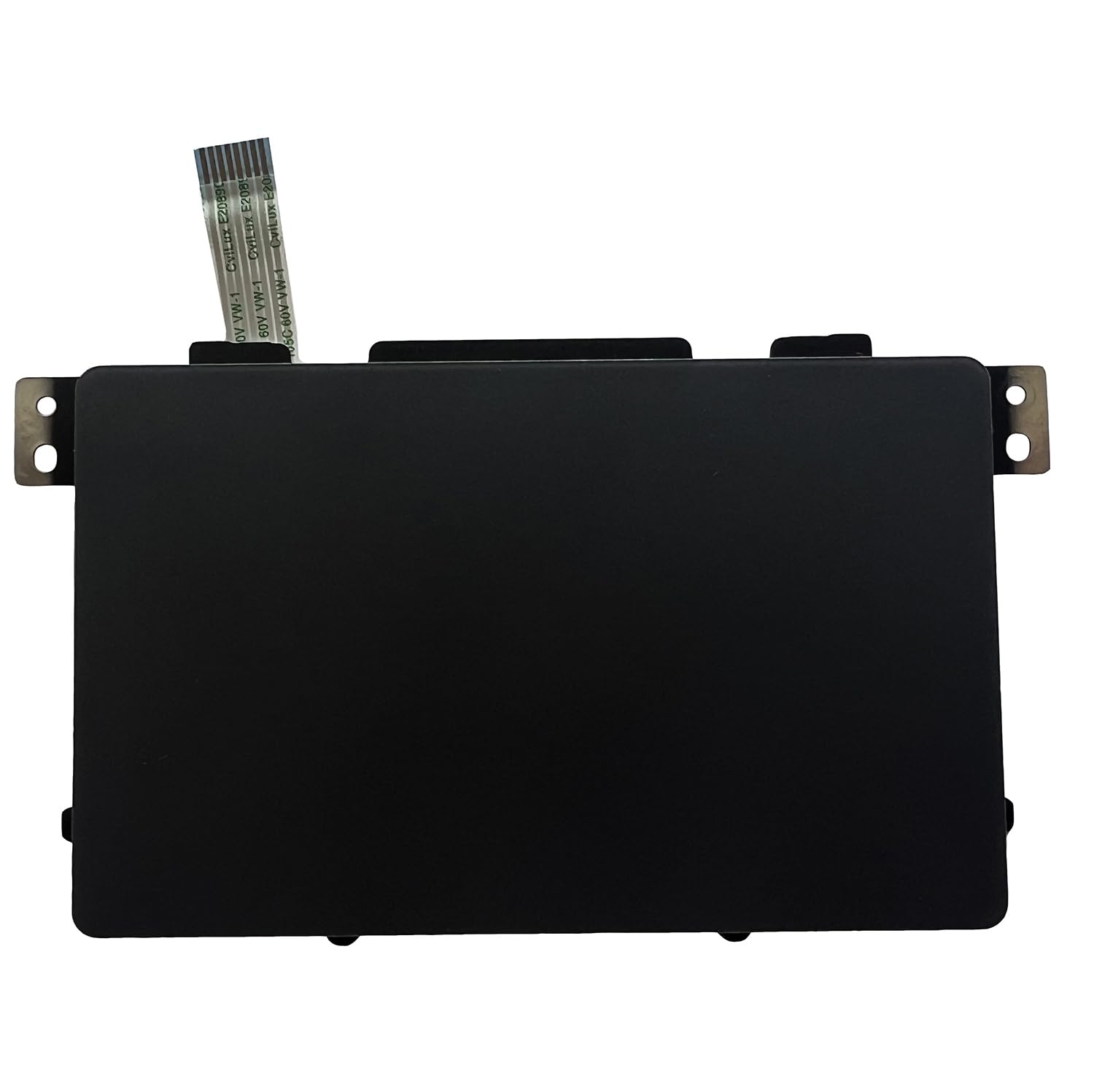
Looking for a Dell E6440 touchpad replacement in Kenya? Luztech helps you find compatible touchpads and palm-rest assemblies for the Dell Latitude E6440. If your laptop cursor is unresponsive, moves erratically, or the touchpad buttons are damaged, replacing the faulty component can restore comfortable navigation and everyday productivity.
Compatible Dell Latitude E6440 Touchpad
The Dell Latitude E6440 features an integrated touchpad with a dedicated button area. Its documented active touchpad area measures approximately 80 mm × 45 mm. The touchpad is connected internally to the laptop through a ribbon cable.
Depending on the replacement part, you may need:
- Touchpad module: The touch-sensitive component used to control the cursor.
- Touchpad buttons: The physical buttons used for clicking.
- Palm-rest assembly: The larger upper laptop housing that can include the touchpad and associated components.
Therefore, identify the exact component that needs replacement before ordering.
Signs You Need a Dell Latitude E6440 Touchpad Replacement
Consider replacing your touchpad if you experience:
- Cursor not responding to finger movement.
- Erratic or jumping cursor movement.
- Left or right click buttons not working.
- Touchpad registering unwanted clicks.
- Physical damage, cracks or worn touchpad surfaces.
- Intermittent touchpad operation despite correct software settings.
However, touchpad problems can also result from a damaged ribbon cable, loose connection, disabled settings or driver issues. A proper diagnosis helps identify the actual cause.
Spare Parts for All Dell Latitude E6440 Specifications
Luztech caters for all Dell Latitude E6440 specifications and configurations, including different processor, RAM, storage and graphics options. We can help you find compatible touchpads, palm-rest assemblies, keyboards, screens, batteries, motherboards and other replacement components for your specific laptop variant.
Additionally, we help customers identify the correct replacement by checking the original part number, cable connector, mounting arrangement and palm-rest configuration.
Important Touchpad Compatibility Checks
Before purchasing, confirm the following:
- Original touchpad part number, where available.
- Touchpad ribbon cable and connector arrangement.
- Physical dimensions and mounting points.
- Whether you need the touchpad alone or a complete palm-rest assembly.
- Compatibility with the original Dell Latitude E6440 housing.
Dell Latitude E6440 Touchpad Installation
Replacing the touchpad requires access to the internal palm-rest assembly. Dell’s service procedure involves removing several components, including the battery, keyboard, storage drive and other internal connections before disconnecting the touchpad cable and removing the palm-rest assembly.
For additional technical guidance, consult the official Dell Latitude E6440 Palm-rest Assembly Removal Guide and Dell Palm-rest Disassembly Video.
Why Choose Luztech?
At Luztech, we help customers find compatible laptop touchpads and replacement components for their specific devices. Furthermore, we assist with identifying the correct touchpad or palm-rest assembly before purchase.
Explore our laptop spare parts or learn more about our laptop and computer repair services in Nairobi. You can also browse the Luztech online shop.
Contact Luztech today for a Dell E6440 touchpad replacement in Kenya. Share a photograph of your original touchpad or palm-rest assembly so we can help identify the correct replacement.

Reviews
There are no reviews yet.