

The HP EliteBook 830 G6 is a compact business laptop designed for professionals, students, offices and everyday users. With regular use, different components can eventually wear out or develop faults, including the screen, keyboard, battery, charger, motherboard, BIOS, CMOS battery, touchpad, casing, hinges, charging system, USB ports, HDMI port, storage and cooling system.
If your HP EliteBook 830 G6 is damaged, slow, overheating, not charging, refusing to power on or experiencing hardware or software problems, replacing the entire laptop may not always be necessary. Many faults can be repaired by replacing the affected component, repairing the motherboard or upgrading the laptop.
Luztech Computer Solutions provides HP EliteBook 830 G6 repair, replacement, upgrade and maintenance services in Nairobi, including screen replacement, keyboard replacement, battery replacement, motherboard repair, BIOS reprogramming, CMOS battery replacement, touchpad repair, casing replacement, hinge repair, charging repair, power repair, USB and HDMI port repair, SSD and RAM upgrades, operating system repair, overheating repair and compatible 65W charger replacement.
HP EliteBook 830 G6 screen replacement

A damaged screen can make the laptop difficult or impossible to use. The HP EliteBook 830 G6 may develop a cracked LCD, black display, flickering screen, lines, dark areas, distorted colors or intermittent display.
Screen replacement may be required when the LCD panel has suffered physical damage.
However, a black or flickering display does not always mean the LCD is faulty. The display cable, connector, motherboard or another component may be responsible.
Common HP EliteBook 830 G6 screen problems include:
- Cracked or broken LCD
- Black screen
- Flickering display
- Vertical or horizontal lines
- Dim display
- White screen
- Dead pixels
- Distorted colors
- Intermittent display
- Screen going off when the lid moves
- Physical display damage
A proper diagnosis helps determine whether the LCD, display cable or another component needs attention.
HP EliteBook 830 G6 keyboard replacement

The keyboard is one of the most frequently used components of a laptop. Individual keys can become damaged, stop responding or become difficult to press.
Keyboard problems can result from normal wear, liquid spills, physical damage or electrical faults.
HP EliteBook 830 G6 keyboard replacement may be necessary when:
- Keys stop working
- Several keys fail at the same time
- Keys are broken
- Keys stick
- The keyboard types incorrectly
- Liquid has entered the keyboard
- The keyboard works intermittently
- The keyboard has physical damage
Before replacing the keyboard, the keyboard connection and motherboard should also be checked.
HP EliteBook 830 G6 battery replacement

Laptop batteries lose capacity as they age. An old HP EliteBook 830 G6 battery may provide only a short amount of usage before requiring the charger.
Signs of a battery problem include:
- Battery drains quickly
- Laptop shuts down unexpectedly
- Battery does not charge
- Laptop works only with the charger connected
- Battery percentage drops rapidly
- Battery health is significantly reduced
- Battery becomes physically swollen
A swollen battery should be replaced promptly because it can place pressure on the laptop’s internal components and casing.
Replacing the battery can restore normal portable use when the original battery has reached the end of its useful life.
HP EliteBook 830 G6 65W charger replacement
A reliable charger is essential for powering and charging the HP EliteBook 830 G6.
If your original charger is lost, damaged, overheating, intermittently charging or no longer working, a compatible 65W HP EliteBook 830 G6 charger can be used as a replacement where the laptop’s configuration and connector requirements are compatible.
Common charger problems include:
- Charger not powering the laptop
- Battery not charging
- Charging intermittently
- Damaged charging cable
- Broken connector
- Charger overheating
- Charger stopping under load
- Laptop showing a charging warning
- Charger working only when the cable is positioned at a certain angle
A compatible 65W AC adapter should have the correct output specifications and connector for the laptop.
It is important not to select a charger based only on the wattage. Voltage, current, connector type and compatibility should also be confirmed.
HP EliteBook 830 G6 65W AC adapter

A replacement 65W charger can be useful as a primary replacement or spare charger for home, office or travel.
Before purchasing a charger, confirm:
- Output voltage
- Output current
- Wattage
- Connector type
- HP compatibility
- AC input requirements
Luztech Computer Solutions can help identify a suitable charger for your HP EliteBook 830 G6.
HP EliteBook 830 G6 motherboard repair

The motherboard controls many of the laptop’s major hardware systems.
A motherboard fault can result in:
- No power
- No charging
- No display
- USB ports not working
- HDMI problems
- Keyboard or touchpad faults
- Unexpected shutdowns
- Failure to boot
- Short circuits
- Intermittent operation
Motherboard repair should begin with proper diagnosis. Some faults that appear to be motherboard problems may actually be caused by the battery, charger, display cable, storage drive or another replaceable component.
Depending on the fault, motherboard repair may involve component-level diagnosis, power-circuit repair, charging-circuit repair, connector repair or replacement of damaged components.
HP EliteBook 830 G6 BIOS reprogramming
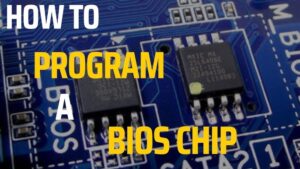
The BIOS is responsible for important hardware initialization and startup functions.
BIOS-related problems can cause:
- Laptop failing to boot
- BIOS corruption
- Failed BIOS update
- Startup errors
- Hardware detection problems
- BIOS recovery loops
- No display during startup
- Firmware-related problems
When normal BIOS recovery methods do not resolve the problem, BIOS reprogramming may be required.
BIOS programming should be performed carefully using the correct firmware for the motherboard because incorrect firmware can cause additional problems.
HP EliteBook 830 G6 CMOS battery replacement
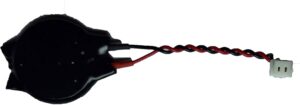
The CMOS battery helps retain certain system settings and information when the laptop is powered off.
A weak CMOS battery can cause:
- Date and time resetting
- BIOS settings not being retained
- CMOS-related warnings
- Startup messages
- Firmware configuration problems
Replacing the CMOS battery can resolve these problems when the original battery has become weak.
If the problem continues after replacement, further BIOS or motherboard diagnosis may be necessary.
HP EliteBook 830 G6 touchpad repair
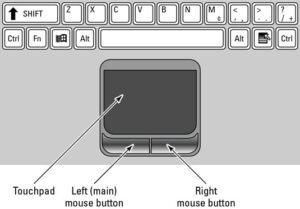
The touchpad provides built-in cursor control.
Touchpad problems can include:
- Cursor not moving
- Touchpad not responding
- Buttons not working
- Intermittent response
- Incorrect clicking
- Physical damage
- Touchpad becoming completely unresponsive
Possible causes include the touchpad itself, its connection, drivers, Windows settings or motherboard-related problems.
A technician can determine whether the touchpad requires repair, replacement or software troubleshooting.
HP EliteBook 830 G6 casing replacement
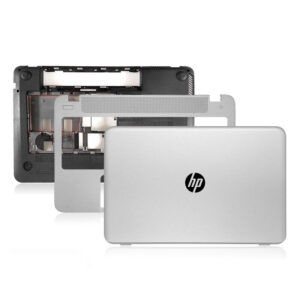
The laptop casing protects internal components and provides structural support.
Physical damage can occur after drops, impacts, pressure or prolonged use.
Common casing problems include:
- Cracked palmrest
- Broken bottom cover
- Damaged display cover
- Broken screw mounts
- Damaged hinge mounts
- Loose casing
- Broken plastic sections
Casing replacement can restore the laptop’s structure and protect the internal components.
HP EliteBook 830 G6 hinge repair
The hinges allow the display to open and close correctly.
Damaged hinges can place additional stress on the display panel, display cable and casing.
Signs of hinge problems include:
- Loose screen
- Difficult-to-open display
- Cracking sounds
- Display casing separating
- Uneven screen movement
- Broken hinge mounts
- Screen movement that feels excessively tight
Hinge repair or replacement should be carried out before the problem causes additional damage to the display assembly.
HP EliteBook 830 G6 charging problem repair
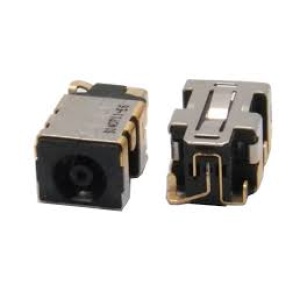
Charging problems can originate from the charger, battery, charging connector or motherboard charging circuit.
Common symptoms include:
- Charger connected but battery does not charge
- Charging works intermittently
- Battery percentage does not increase
- Laptop stops charging when the cable moves
- Charger is detected but charging does not begin
- Laptop shuts down when the charger is removed
Diagnosis is important because replacing the battery will not solve a motherboard charging-circuit fault.
HP EliteBook 830 G6 power problem repair
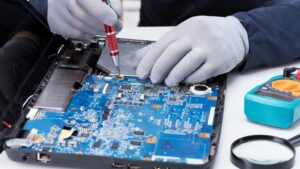
A laptop that does not turn on may have a problem with the charger, battery, power button, motherboard or internal power circuitry.
Possible causes include:
- Faulty AC adapter
- Battery failure
- Charging circuit problem
- Power-button fault
- Motherboard failure
- Short circuit
- Damaged internal component
- BIOS or firmware problem
If there are no lights, fan activity or other signs of power, professional diagnosis is recommended.
HP EliteBook 830 G6 USB port repair
USB ports are used for flash drives, external storage, keyboards, mice, phones and other peripherals.
A USB port can become damaged from repeated use, physical force, dust, corrosion or electrical faults.
Symptoms include:
- USB device not detected
- Loose USB connector
- Intermittent connection
- USB port not supplying power
- Broken USB port
- Devices repeatedly disconnecting
Depending on the damage, repair may involve connector replacement or motherboard-level repair.
HP EliteBook 830 G6 HDMI port repair
The HDMI port allows the laptop to connect to an external monitor, projector or television.
Common HDMI problems include:
- External display not detected
- No HDMI output
- Intermittent external display
- Loose connector
- Physically damaged HDMI port
If the connector is damaged, it may require replacement or motherboard-level repair.
HP EliteBook 830 G6 SSD upgrade

SSD upgrade can improve storage capacity and overall system responsiveness.
An SSD upgrade may be useful if the existing storage is:
- Too small
- Slow
- Nearly full
- Failing
- Causing operating-system problems
SSD upgrade can improve:
- Windows startup
- Application loading
- File access
- General responsiveness
- Available storage
Important files should be backed up before replacing or migrating the storage drive.
HP EliteBook 830 G6 RAM upgrade

Additional RAM can improve multitasking performance when the laptop has insufficient memory for the user’s workload.
A RAM upgrade may benefit users who regularly run:
- Multiple browser tabs
- Office applications
- Business software
- Programming tools
- Remote-work applications
- Multiple programs simultaneously
The correct compatible memory specification should be confirmed before installation.
HP EliteBook 830 G6 operating system repair
Windows problems can affect laptop performance and reliability.
Common operating-system problems include:
- Windows not starting
- Boot errors
- Corrupted system files
- Blue screen errors
- Slow performance
- Driver problems
- Failed updates
- Software conflicts
- Frequent crashes
Operating-system repair can involve Windows troubleshooting, system-file repair, boot repair, driver installation or a clean Windows installation where necessary.
Important data should be backed up before major operating-system work.
HP EliteBook 830 G6 overheating repair

Overheating can affect performance and system stability.
Common causes include:
- Dust inside the cooling system
- Blocked air vents
- Dirty cooling fan
- Dried thermal compound
- Fan failure
- Heavy workloads
- Poor ventilation
Symptoms can include:
- Laptop becoming very hot
- Fan running continuously
- Slow performance
- Unexpected shutdowns
- System instability
- Reduced performance under load
Overheating repair can include internal cleaning, fan inspection, heatsink cleaning and thermal compound replacement where required.
HP EliteBook 830 G6 complete repair services in Nairobi
Luztech Computer Solutions provides a wide range of HP EliteBook 830 G6 services in Nairobi.
These include:
- HP EliteBook 830 G6 screen replacement
- HP EliteBook 830 G6 keyboard replacement
- HP EliteBook 830 G6 battery replacement
- HP EliteBook 830 G6 65W charger replacement
- HP EliteBook 830 G6 motherboard repair
- HP EliteBook 830 G6 BIOS reprogramming
- HP EliteBook 830 G6 CMOS battery replacement
- HP EliteBook 830 G6 touchpad repair
- HP EliteBook 830 G6 casing replacement
- HP EliteBook 830 G6 hinge repair
- HP EliteBook 830 G6 charging problem repair
- HP EliteBook 830 G6 power problem repair
- HP EliteBook 830 G6 USB port repair
- HP EliteBook 830 G6 HDMI port repair
- HP EliteBook 830 G6 SSD upgrade
- HP EliteBook 830 G6 RAM upgrade
- HP EliteBook 830 G6 operating system repair
- HP EliteBook 830 G6 overheating repair
Why repair an HP EliteBook 830 G6?
A problem with one component does not necessarily mean the entire laptop needs to be replaced.
Repair or upgrading may be worthwhile when the laptop still has:
- A functional motherboard
- A good processor
- A usable chassis
- Upgradeable storage
- Upgradeable memory
- A repairable display
- A replaceable battery
Repairing the faulty component can extend the useful life of the laptop and may be more practical than replacing the entire computer.
HP EliteBook 830 G6 repair in Nairobi
If you are searching for HP EliteBook 830 G6 repair in Nairobi, Luztech Computer Solutions can help diagnose and repair hardware, software, charging, power, display and performance problems.
Whether your laptop needs a screen, keyboard, battery, 65W charger, motherboard repair, BIOS reprogramming, CMOS battery, touchpad, casing, hinge, charging repair, USB or HDMI repair, SSD or RAM upgrade, Windows repair or overheating service, the laptop should first be properly assessed.
A correct diagnosis helps identify the actual problem and prevents unnecessary replacement of working components.
Conclusion
The HP EliteBook 830 G6 remains a useful business laptop, and many of its common problems can be repaired, replaced or upgraded.
From screen and keyboard replacement to battery, 65W charger, motherboard, BIOS, CMOS, touchpad, casing, hinge, charging, power, USB, HDMI, SSD, RAM, Windows and overheating repairs, Luztech Computer Solutions provides comprehensive HP EliteBook 830 G6 repair services in Nairobi.
If your HP EliteBook 830 G6 is damaged, not charging, not powering on, overheating, running slowly or experiencing another hardware or software problem, professional diagnosis can help determine the right solution.
