
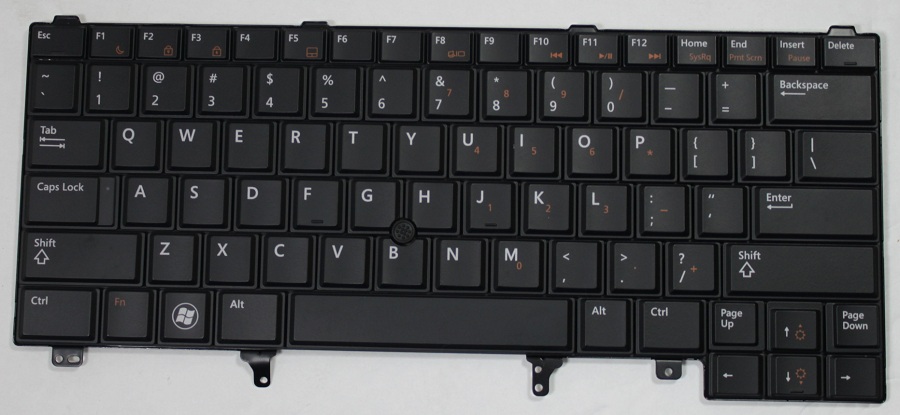
Description
Looking for an HP 640 G10 keyboard replacement without backlighting? Luztech helps you find compatible standard non-backlit keyboards for the HP EliteBook 640 G10. Whether your original keyboard has unresponsive keys, damaged buttons, liquid damage or typing problems, we can help identify the correct replacement.
The HP EliteBook 640 G10 is available with both backlit and non-backlit keyboard configurations. Therefore, if your laptop originally came with a standard non-backlit keyboard, choose the matching version to maintain the original design and functionality.
Standard Non-Backlit Keyboard for HP EliteBook 640 G10
This replacement is intended for laptops originally supplied with a non-backlit keyboard.
Key features include:
- Standard non-backlit keyboard
- HP Premium keyboard design
- Spill-resistant keyboard construction
- Dedicated function keys
- Comfortable laptop typing layout
- Regional keyboard layout options, subject to availability
Unlike the backlit version, this keyboard does not have illuminated keys. Consequently, it is suitable for customers who want to retain the original non-backlit configuration.
Keyboard Replacements for Different HP EliteBook 640 G10 Specifications
Luztech can assist with keyboard replacements for different HP EliteBook 640 G10 specifications, including supported Intel Core processor, RAM, storage and graphics configurations.
However, keyboard compatibility is not determined by processor or RAM alone. The replacement must match the original keyboard’s backlight configuration, regional language, layout, connector and top-cover assembly.
Non-Backlit vs Backlit Keyboard
The HP EliteBook 640 G10 supports both standard non-backlit and illuminated keyboard configurations.
- Non-backlit keyboard: Standard keys without illumination.
- Backlit keyboard: Keys illuminate for typing in dim environments.
If your laptop originally came with a non-backlit keyboard, selecting the correct standard replacement helps maintain the original configuration. A non-backlit keyboard should not be advertised or installed as a backlit replacement.
Common Signs You Need a Keyboard Replacement
Your HP EliteBook 640 G10 may need a replacement keyboard if you experience:
- Keys that do not respond when pressed
- Missing, loose or broken keys
- Repeated or incorrect character input
- Liquid damage affecting keyboard operation
- Physical damage to the keyboard surface
- Several keys failing at the same time
However, some keyboard faults may originate from a damaged cable or motherboard connection. Therefore, proper diagnosis can help identify the actual problem.
Match the Correct HP EliteBook 640 G10 Keyboard
HP’s service documentation identifies the non-backlit top-cover-with-keyboard part-number family as N45427-xxx. The final suffix depends on the regional keyboard layout and country configuration.
Before ordering, confirm the original HP spare part number, keyboard language, layout, connector and top-cover compatibility. Additionally, check whether your laptop uses a standard non-backlit or backlit keyboard.
You can also explore our laptop spare parts and laptop repair services in Nairobi.
Why Choose Luztech?
- Assistance identifying compatible HP laptop keyboards
- Standard non-backlit and backlit options where supported
- Help matching regional keyboard layouts
- Support for different HP EliteBook 640 G10 specifications
- Access to laptop spare parts and repair services
Contact Luztech today for an HP EliteBook 640 G10 non-backlit keyboard replacement. Share your laptop product number or original keyboard part number so we can help identify the correct standard keyboard for your device.


Reviews
There are no reviews yet.