
 HP Notebook 15-BS 250 G4 G5 G6 G7 replacement LCD LED Display Non-Touch Screen
 New HP ProBook 650 G4 Laptop keyboard Replacement L09595-001 L09593-001 L00741-001 603780134101 6037B0134201 Backlit with Pointer Silver Frame in Nairobi CBD at Luztech Solutions
 HP ProBook 650 G1 replacement keyboard in Kenya CBD at Luztech Solutions
 DC Charging power port Jack for HP 15-B 17-BS, 250 G6 Series
 JC03 JC04 HP 15-BS 14-BS 250 G6 series Laptop Battery
 Laptop Keyboard for Dell Latitude E5290 5290 DPN 0346TJ 00NPN8 PK131S53B01 replacement and Repair in Nairobi CBD at Luztech Solutions
 Laptop FOR HP EliteBook x360 1030 G2 Keyboard UK Black Backlit Replacement in Nairobi CBD at Luztech Solutions
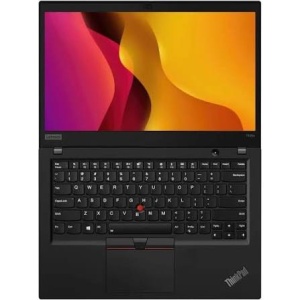 Lenovo ThinkPad T495s AMD Ryzen 16GB RAM 256GB SSD 2GB Graphics Touchscreen Laptop
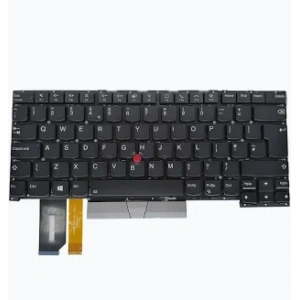 Lenovo ThinkPad T495s AMD Ryzen 16GB RAM 256GB SSD Touchscreen Laptop Keyboard Replacement
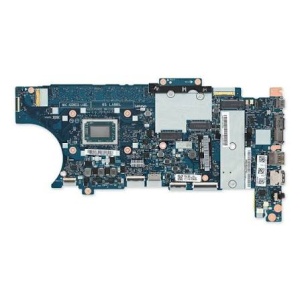 Lenovo ThinkPad T495s AMD Ryzen 16GB RAM 256GB SSD 2GB Graphics Touchscreen Laptop Motherboard
 Lenovo ThinkPad T495s AMD Ryzen 16GB RAM 256GB SSD Touchscreen Laptop Screen Replacement
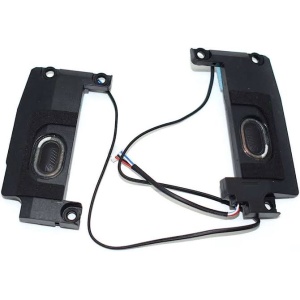 Lenovo ThinkPad T495s AMD Ryzen 16GB RAM 256GB SSD Touchscreen Laptop Speakers Replacement
 HP EliteBook 6930P 8440P Laptop Battery 458640-542
 HP EliteBook Folio 9470M 9480M CPU Laptop fan 702859-001
 New Replacement HP Notebook 15_15-BS_250 G6 English Black US Layout Keyboard
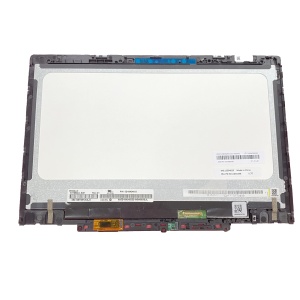 Lenovo 300e 11.6″ LCD Screen Replacement – 30‑Pin eDP*
 HP Notebook 250 G4 15-AY 15-AC Series- HS04-HS03 Laptop battery Replacement in Nairobi
 Genuine Lenovo ThinkPad X131E Compatible replacement laptop battery in Nairobi
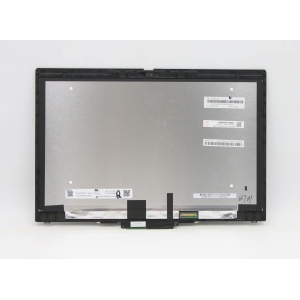 Lenovo ThinkPad X390 / X390 Yoga 13.3″ FHD LCD Touchscreen Panel Replacement (30‑Pin eDP)
 Lenovo IdeaPad Yoga 330-11IGM 11inch touch Screen +LCD Screen + Bezel 11.6" HD(1366*768) Touch LCD
 Lenovo IdeaPad 310-14 Replacement Laptop Screen
 Lenovo X1 Carbon 1st gen- 3nd Generation processor LCD LED Non touch Screen Full-HD (1920x1080) 14" inch Screen
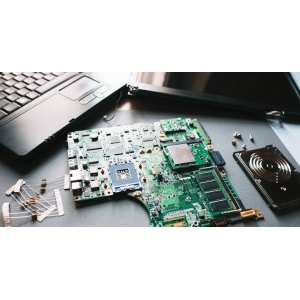 Lenovo ThinkPad X13 Yoga Gen 1 Core i7 Laptop Repair Services in Nairobi
 Non Touch Screen FHD for lenovo ThinkPad X1 carbon 2016 4th Gen in Nairobi Screen Size; 14.0 inch Screen Connector : 30 Pins Maximum Resolution : 1920*1080
 LENOVO X1 YOGA REPLACEMENT SCREEN IN NAIROBI
 New Replacement laptop LCD LED Display Screen For lenovo ThinkPad T430 14.0" inches 1366*768 HD
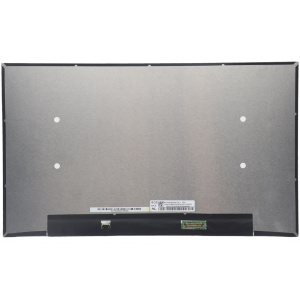 Lenovo ThinkPad E14 Gen 5 Replacement Screen – Full HD 1080p 30-Pin Non-Touch Display
Description
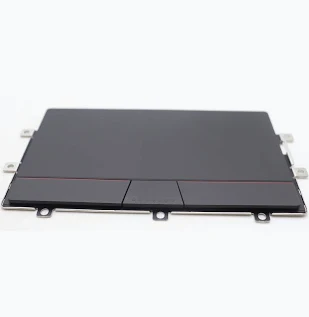
Restore smooth cursor movement and comfortable navigation on your Lenovo ThinkPad X13 Yoga Gen 1 with a compatible replacement touchpad from Luztech Solutions.
The Lenovo ThinkPad X13 Yoga Gen 1 is a premium 2-in-1 business laptop designed for productivity, office work, business applications, studying, and everyday computing. Its touchpad, also known as a trackpad or ClickPad, allows users to control the mouse pointer, scroll through documents, select files, and perform multi-touch navigation without an external mouse.
If your Lenovo ThinkPad X13 Yoga Gen 1 Core i7 laptop has a faulty, damaged, unresponsive, or malfunctioning touchpad, replacing the defective component can help restore normal navigation and improve your overall laptop experience.
A properly functioning touchpad is particularly important for users who frequently travel or work away from a desk and need reliable mouse control without carrying an external mouse.
At Luztech Solutions, we help customers find suitable Lenovo ThinkPad replacement parts and professional laptop repair services in Nairobi CBD, Kenya.
Whether your touchpad has stopped responding, the cursor moves unpredictably, physical clicking is no longer working, or the touchpad has suffered physical damage, we can help you identify the correct replacement component for your laptop.
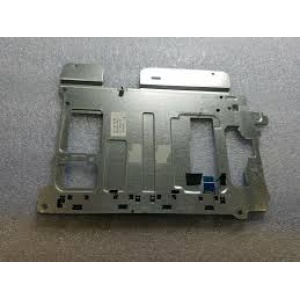
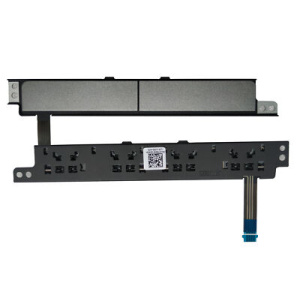
The Lenovo ThinkPad X13 Yoga Gen 1 uses a dedicated touchpad assembly and associated connection cable. The correct replacement must be verified against the original part number and laptop configuration before installation.
🔹 Compatible Lenovo ThinkPad Models
The touchpad replacement is intended for the following laptop platform:
- Lenovo ThinkPad X13 Yoga Gen 1
- Lenovo ThinkPad X13 Yoga Gen 1 Intel
- Lenovo ThinkPad X13 Yoga Gen 1 Core i7
- Lenovo ThinkPad X13 Yoga Gen 1 Core i5
- Lenovo ThinkPad X13 Yoga Gen 1 10th Gen Intel
- Lenovo ThinkPad X13 Yoga Gen 1 Machine Type 20SX
- Lenovo ThinkPad X13 Yoga Gen 1 Machine Type 20SY
Some replacement suppliers also list the 01YU082 ClickPad for selected Lenovo ThinkPad X390 Yoga configurations. However, compatibility with another laptop model should always be checked independently.
Compatibility notice: This listing is specifically for the Lenovo ThinkPad X13 Yoga Gen 1. Do not assume that the touchpad fits the standard ThinkPad X13, X13 Yoga Gen 2, Gen 3, or other ThinkPad models. Always compare the original part number, connector, and physical layout.
🔹 Common Lenovo ThinkPad X13 Yoga Touchpad Problems
A faulty touchpad can make everyday laptop use frustrating, especially when you rely on the built-in pointing device instead of an external mouse.
Common touchpad problems include:
- Touchpad not responding: The cursor does not move when you touch the ClickPad.
- Cursor movement problems: The pointer moves erratically or responds inconsistently.
- Touchpad clicking failure: The left-click or right-click function stops working properly.
- Intermittent touchpad operation: The touchpad works sometimes but stops responding unexpectedly.
- Scrolling problems: Two-finger scrolling or other supported gestures no longer function correctly.
- Physical touchpad damage: The ClickPad surface is cracked, worn, or physically damaged.
- Touchpad connection problems: A loose or damaged internal connection affects touchpad operation.
- Unresponsive touchpad buttons: Clicking or selecting items becomes difficult.
- Touchpad completely disabled: The device does not function even after checking the relevant settings and drivers.
If your Lenovo ThinkPad X13 Yoga Gen 1 has any of these problems, professional diagnosis can help establish whether the touchpad, its cable, software, or motherboard connection is responsible.
🔹 Professional Lenovo ThinkPad X13 Yoga Touchpad Replacement in Nairobi
At Luztech Solutions, we help customers with Lenovo ThinkPad touchpad replacement and laptop repair services in Nairobi CBD.
If your Lenovo ThinkPad X13 Yoga Gen 1 touchpad is faulty, we can assist with:
- Inspecting the existing touchpad.
- Identifying the correct replacement ClickPad.
- Checking the original Lenovo FRU number.
- Inspecting the touchpad ribbon cable and connector.
- Diagnosing touchpad clicking and cursor movement problems.
- Replacing a damaged or malfunctioning touchpad.
- Testing touchpad functionality after installation.
- Checking related software and driver issues.
Professional installation is recommended because accessing the touchpad requires careful laptop disassembly. Lenovo provides a dedicated Trackpad removal and replacement procedure for the X13 Yoga Gen 1.
🔹 Why Choose Luztech Solutions?
When purchasing Lenovo laptop spare parts, selecting the correct component is important for compatibility and reliable performance.
At Luztech Solutions, we assist customers with:
- Lenovo ThinkPad touchpad replacement.
- Lenovo laptop trackpads and ClickPads.
- Lenovo ThinkPad keyboards.
- Lenovo laptop screens and touchscreen assemblies.
- Lenovo laptop batteries.
- Lenovo laptop chargers and AC adapters.
- Lenovo cooling fans and heatsinks.
- Lenovo laptop speakers.
- Lenovo motherboard repair and replacement.
- Professional laptop troubleshooting and servicing.
Whether you are an individual laptop owner, IT technician, business, student, or computer repair shop, Luztech Solutions can help you identify suitable Lenovo laptop spare parts.
We serve customers in Nairobi CBD and across Kenya.
🔹 Warranty & Delivery
Contact Luztech Solutions to confirm the current touchpad availability, exact part number, applicable warranty terms, and delivery arrangements before purchasing.
We assist customers in Nairobi CBD and other locations across Kenya with Lenovo laptop spare parts and professional repair services.
🔹 What’s Included
- Lenovo ThinkPad X13 Yoga Gen 1 compatible replacement touchpad / ClickPad assembly, according to the selected part.




Reviews
There are no reviews yet.