
Description
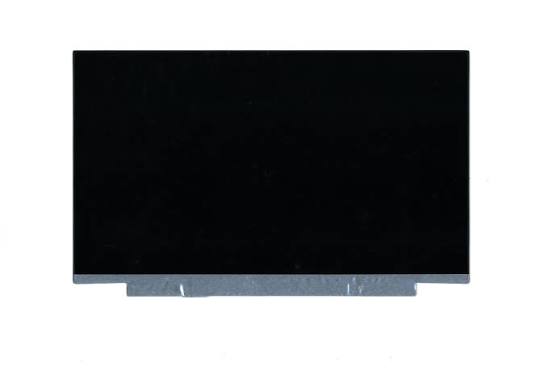
Get your Lenovo laptop display working properly again with a Lenovo ThinkPad X1 Carbon Gen 10 and Gen 11 Replacement Screen. These replacement display options are intended for compatible ThinkPad X1 Carbon laptops, with both touchscreen and non-touchscreen variants.
A damaged laptop screen can make working, studying and everyday computer use difficult. Fortunately, replacing the faulty display can restore clear visuals and normal screen functionality.
Lenovo ThinkPad X1 Carbon Gen 10 & Gen 11 Screen Options
This product covers replacement screen options for the following Lenovo laptop generations:
- Lenovo ThinkPad X1 Carbon Gen 10 (10th Generation)
- Lenovo ThinkPad X1 Carbon Gen 11 (11th Generation)
Available display types:
1. Touchscreen Replacement
The touchscreen option supports touch-based interaction on compatible laptop configurations. It allows users to interact directly with the display using their fingers.
It is suitable for replacing a damaged or faulty touchscreen panel, provided the replacement matches the original display specifications.
2. Non-Touchscreen Replacement
The non-touchscreen option is designed for standard laptop configurations without touch functionality. It supports normal viewing and interaction through the keyboard and touchpad.
This option is suitable for compatible ThinkPad X1 Carbon laptops originally fitted with non-touch displays.
Common Signs You Need a Lenovo X1 Carbon Replacement Screen
A damaged display can affect productivity and make your laptop difficult to use.
Consider replacing your screen if you experience:
- Cracked or physically damaged LCD panels.
- Black spots or ink-like marks on the display.
- Flickering or intermittent display problems.
- Vertical or horizontal lines across the screen.
- A completely black or blank display.
- Distorted colours or unusual brightness.
- Touchscreen failure or unresponsive touch functionality.
- Visible display damage following accidental impact.
Display Compatibility and Replacement Considerations
The ThinkPad X1 Carbon Gen 10 and Gen 11 have different display configurations. These include touchscreen and non-touchscreen options, depending on the original laptop configuration.
Additionally, screen replacements must match the original panel specifications.
Before purchasing, confirm:
- Laptop generation and machine type.
- Original screen part number or FRU.
- Touchscreen or non-touchscreen configuration.
- Display resolution and panel technology.
- Display connector and cable compatibility.
- Screen assembly and mounting configuration.
Important: A touchscreen and non-touchscreen panel are not automatically interchangeable. Always verify the original screen specifications before ordering.
Why Choose Luztech?
At Luztech, we help customers find suitable replacement screens and laptop components for Lenovo ThinkPad computers.
Whether your X1 Carbon has a cracked display, flickering screen or faulty touchscreen, we can assist with identifying the appropriate replacement option.
Additionally, customers can contact Luztech for laptop screen replacement and professional repair assistance.
Contact Luztech today for a Lenovo ThinkPad X1 Carbon Gen 10 or Gen 11 replacement screen. Let us help you identify the correct touchscreen or non-touchscreen display for your laptop.



Reviews
There are no reviews yet.